
Email setup guide
Configuring Apple Mail on iPhone and iPad Setup
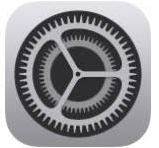
Step 1: Go to Settings icon from the Menu
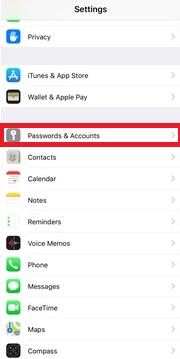
Step 2: Go to Passwords & Accounts
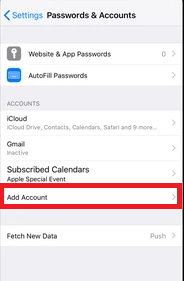
Step 3: To add a new E-Mail account to your device, select “Add Account”
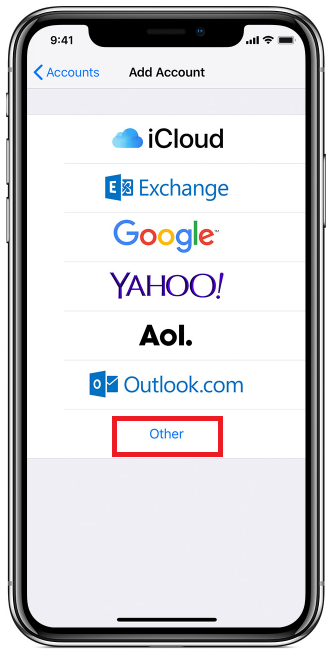
Step 4: As we wish to set up your activ8me email account, please select “Other”
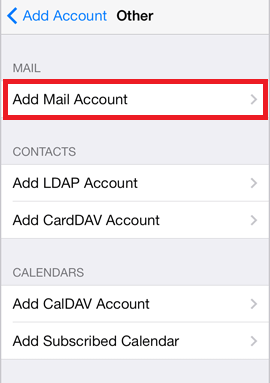
Step 5: Click the “Add Mail Account”
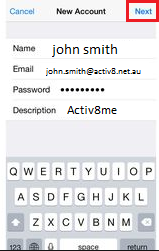
Step 6: Complete Form with the following information and select “Next”
User Information
Your Name: {First name and Surname}
E-mail Address: {Your activ8me E-mail address}
Password: {Provided by activ8me}
(To change password Click Here)
Description: {A descriptive name for the account}
User Information
Your Name: {First name and Surname}
E-mail Address: {Your activ8me E-mail address}
Password: {Provided by activ8me}
(To change password Click Here)
Description: {A descriptive name for the account}
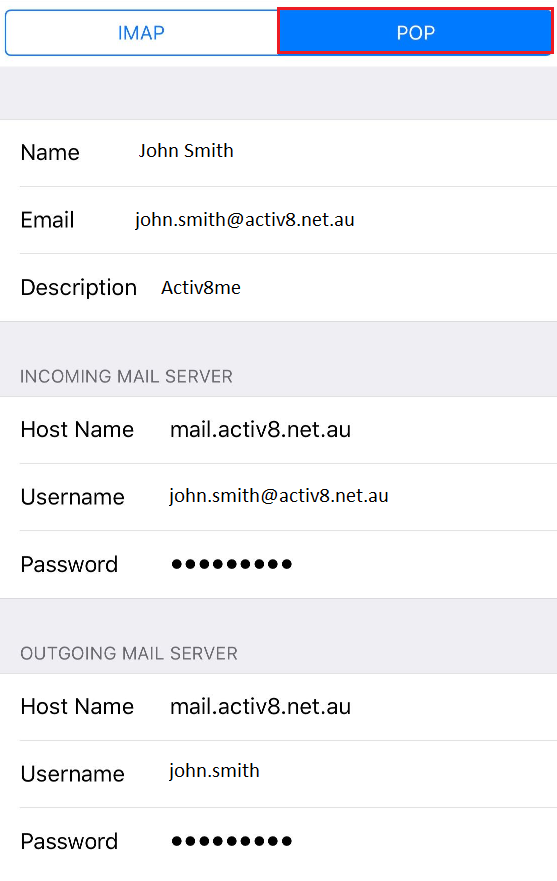
Step 7: Choose “POP” from the top menu, and ensure the rest of the form is completed as follows.
Account Type
Account Type: POP
User Information
Name: {First name and Surname}
E-mail Address: {Your activ8me E-mail address}
Description: {A descriptive name for the account}
Incoming Server Information
Incoming mail server: mail.activ8.net.au
Username: {Your activ8me E-mail address}
Password: Provided by activ8me
(To change password Click Here)
Outgoing Server Information
Outgoing mail server (SMTP): mail.activ8.net.au
Username: {Firstname.Surname}
Password: Provided by activ8me
(To change password Click Here)
Account Type
Account Type: POP
User Information
Name: {First name and Surname}
E-mail Address: {Your activ8me E-mail address}
Description: {A descriptive name for the account}
Incoming Server Information
Incoming mail server: mail.activ8.net.au
Username: {Your activ8me E-mail address}
Password: Provided by activ8me
(To change password Click Here)
Outgoing Server Information
Outgoing mail server (SMTP): mail.activ8.net.au
Username: {Firstname.Surname}
Password: Provided by activ8me
(To change password Click Here)
Step 8: Select “Save” on the top right to complete the Email Setup.
