
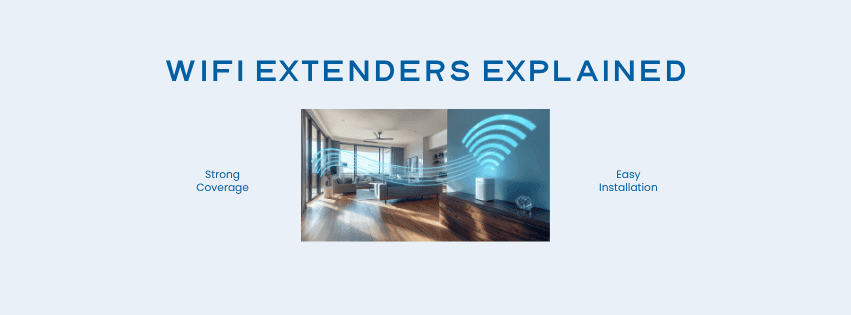
Weak Wi-Fi coverage is one of the most common frustrations for Australian households. If you’ve ever walked from your lounge room into a bedroom and experienced your streaming buffer or had a video call drop out, you’re not alone.
This issue is particularly common in large and regional homes, where routers work hard to push a signal through thick walls, up stairs, down long hallways, and into large open spaces.
The good news: you don’t always need to upgrade your internet plan to fix the problem. A Wi-Fi extender could be all you need!
In this article, we’ll explain what a Wi-Fi extender is and how they work, and when one will (and won’t) solve your connectivity issues.
What is a Wi-Fi Extender?
A Wi-Fi extender is a device that picks up your existing signal and rebroadcasts it to parts of your home that your router struggles to reach. It plugs in within range of your router and acts as a bridge, pushing the signal farther into dead zones like back bedrooms, home offices, garages, or outdoor areas — without upgrading your router or network plan.
You might also hear these devices called Wi-Fi boosters, Wi-Fi repeaters, or range extenders.
How a Wi-Fi Extender Works
Think of it like a relay race. Your router passes the baton to the extender, which runs it the rest of the way:
- Your router broadcasts a Wi-Fi signal from a central point in your home.
- Your extender sits within range of that signal, between your router and the weak-signal area.
- The extender receives the signal and rebroadcasts it on the same or a separate channel.
- Devices in the previously weak area connect to the extender instead of straining to reach the router.
Some extenders create a separate network name (SSID), meaning devices may not switch over automatically as you move through the house. More advanced mesh systems — like the TP-Link HX220 or HX510 extenders offered by Activ8me — handle this seamlessly with a single unified network that your devices automatically connect to.
Wi-Fi Extender vs Wi-Fi Booster vs Wi-Fi Repeater
The terms extender, booster, and repeater are used so interchangeably in marketing and product listings that it’s easy to get confused. However, there are some technical differences:
Wi-Fi Repeater: A repeater connects to your router wirelessly and rebroadcasts the signal to a wider area. Because it uses the same radio band for both receiving signals from your router and transmitting to your devices, it can roughly halve the available bandwidth. It is often the simplest and most affordable option.
Wi-Fi Extender: Does the same job as a repeater but connects back to your router via a physical cable — such as Ethernet, coaxial, or Powerline. This avoids the bandwidth penalty that affects wireless repeaters and generally delivers more consistent speeds. Some wireless extenders also get around this issue by using a separate frequency band for the connection back to the router.
Wi-Fi Booster: A catch-all marketing term that can refer to a repeater, an extender, or even a mesh network node.
For most households, a modern dual-band mesh system — like the HX510 offered by Activ8me — will outperform an older-style repeater. Contact us to find out what’s right for your specific situation.
Why Wi-Fi Signals Become Weak in Some Areas of the Home
Wi-Fi signals weaken as they travel through space and through objects. Common causes of drop-off include:
- Distance: The further your device is from the router, the weaker the signal.
- Walls and building materials: Brick, concrete, and double-glazed glass are particularly effective at blocking Wi-Fi. Older Australian homes with thick masonry walls are common culprits.
- Interference: Other wireless devices, neighbouring networks, and appliances like microwaves can disrupt your signal.
- Router placement: A router tucked in a corner or cabinet will always struggle to reach the far end of your home.
- Layout: Multi-storey homes, long floor plans, and properties with separate sheds or workshops create natural dead zones.
For rural and regional households, these challenges are even more pronounced. A shed 20 metres from the house, for example, could be nearly impossible to reach without an extender.
Where to Place a Wi-Fi Extender for Best Performance
Placement is everything. Many people place their extender too close to the dead zone, meaning it’s too far from the router to receive a strong signal to rebroadcast.
- Place it halfway: Position the extender between your router and the dead zone — not in the dead zone itself.
- Avoid thick walls: Keep a reasonably clear path between the router and extender where possible.
- Elevate it: Wi-Fi signals radiate outward and slightly downward, so mid-wall height works better than floor level.
- Test your results: Use the Activ8me speed test from different spots before settling on a final position.
- Watch the indicator lights: If the lights indicate a poor connection or frequent drop-outs, move the extender closer to the router.
Setting up a TP-Link Easymesh unit? Our Activ8me Wi-Fi range extender setup guide walks you through it step by step.
When a Wi-Fi Extender Can Help Improve Your Internet Experience
A Wi-Fi extender is worth considering when:
- Your home is large, multi-storey, or has a complex layout with multiple rooms or living areas.
- You have specific dead zones in a bedroom, home office, or outdoor area.
- You’re renting and can’t install additional cabling or make structural changes.
- Speed test results are strong near the router but noticeably slower elsewhere in the home.
- You need coverage in a detached shed, granny flat, or garage within a reasonable distance of your router.
You might also find our guide on improving your home’s Wi-Fi signal useful for additional tips and tricks.
When a Wi-Fi Extender Will Not Fix the Problem
The most common misconception is that an extender will make your internet faster. It won’t. It can only extend the reach of your existing signal. An extender probably won’t help if:
- Your internet is slow everywhere, including right next to the router. That points to your plan or connection type, not your Wi-Fi coverage.
- Your router is outdated or faulty. An extender can only rebroadcast what it receives.
- The dead zone is too far from your router for the extender to pick up a usable signal.
- You’re experiencing frequent dropouts or errors, which usually indicate a network or hardware issue.
Run an internet speed test from right next to your router. Strong there but weak elsewhere? Coverage issue. Slow everywhere? It may be time to review your plan or speak to our support experts at Activ8me.
Frequently Asked Questions about Wi-Fi Extenders
How does a Wi-Fi extender work?
A Wi-Fi extender receives the signal from your router and rebroadcasts it to areas with weak coverage, using the same internet connection. Unlike a repeater, it connects back to the router via a physical cable or a separate frequency band, which helps maintain bandwidth.
How do Wi-Fi boosters work?
The same way as an extender or repeater. The name “Wi-Fi booster” is a marketing term and could refer to a repeater or an extender.
What is a Wi-Fi range extender?
A device designed to push your Wi-Fi signal further into your home or property by connecting back to your router via cable or a separate frequency band. This makes it more reliable than a basic repeater, and particularly useful in larger homes, thick-walled buildings, or where outdoor coverage is needed.
What is a Wi-Fi repeater?
A repeater connects to your router wirelessly and rebroadcasts the signal on the same frequency band. An extender does the same job but connects back to the router via a physical cable or a separate frequency band, avoiding potential bandwidth penalties.
Do Wi-Fi extenders slow down internet speed?
Older single-band extenders can halve available bandwidth because they use a single channel for both reception and rebroadcast. Modern mesh extenders — like the ones Activ8me offer — largely avoid this issue.