logo
  • Home
Call Us Now

Knowledge Base

  1. Home
  2. Knowledge
  3. Members area – Logging in

Members area – Logging in

How to enter the Activ8me members area

What is the Members Area?

Activ8me Members Area is the hub for customers to manage their own account.
In it, you can:

  • View service summaries and invoices.
  • Manage your contact, address and payment details.
  • Order new hardware and accessories
  • Check out special deals exclusive to Activ8me customers.
  • Get technical support, ask questions and submit feedback through our online help form

Logging in

Start by opening a web browser. In the address bar, enter www.activ8me.net.au and hit enter – this will open the Activ8me home page.
In the top right of the page is the “My Account” link.
Click on it.
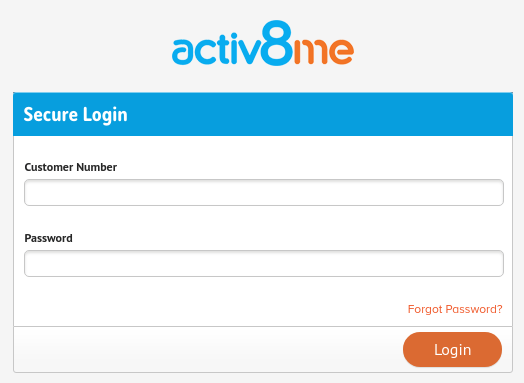
Enter your 3000xxxx customer number and password into their respective boxes.
Click Submit – you should now be within the Members Area!
If you need additional help in using the Members Area then checkout the “Members Area Guide” help document

Activ8me

Empowering Regional Australia with great value, innovative internet and phone services

Awardsnbnopticomm

Services

  • nbn® Sky Muster®
  • nbn® Fibre
  • nbn® Fixed Wireless
  • Opticomm Fibre
  • Phone
  • Business Services

Help & Support

  • Help Centre
  • Speed Test
  • Network Disruptions
  • Report a Scam Call
  • Natural Disaster Assistance
  • Members Area
  • Webmail

Policies & Legal

  • Terms & Conditions
  • Privacy Policy
  • Payment Assist Policy
  • Complaints Handling Policy
  • Outage Communications Policy
  • Network Outage Complaints
  • Domestic/Family Violence
  • Security Assurance Statement
  • Online Safety & Filtering

About

  • About Us
  • Blog
  • Media
  • Site Map
  • Contact Us

Follow Us

FacebookXLinkedInInstagram
© 2026 Australian Private Networks Pty. Ltd.
All rights reserved.